

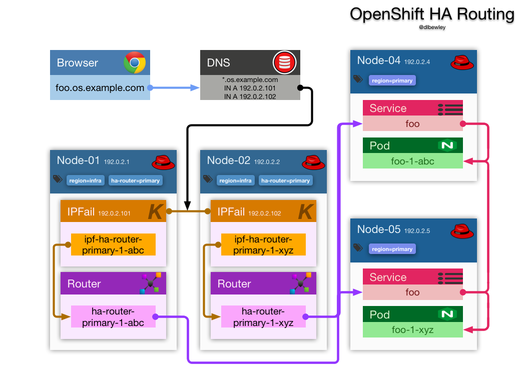
OpenShift High Availability - Routing
Highly availabile containers in OpenShift are baked into the cake thanks to replication controllers and service load balancing, but there are plenty of other single points of failure. Here is how to eliminate many of those.
Single Points of Failure
The components of OpenShift include:
- Master controller manager server and API endpoint
- Etcd configuration and state storage
- Docker Registry
- Router haproxy
This post is mostly about adding high availability to the routing layer.