

February 18, 2026
The OpenShift networking stack, including the OVN-Kubernetes CNI, Cluster Network Operator, NMState operator, and FRR-K8s is very flexible, but it may not always be obvious how the pieces fit together to form a solution.
OVN Recon is an OpenShift Console plugin built to make the connections that help develop your mental model for understanding OpenShift networking.
The Problem
Networking is opaque and confusing. 😵💫
Networking Configuration is multilayered. Beginning with the physical network interfaces cards which may be bound together into a logical bond, or they may also be sliced into VLAN subinterfaces. Those subinterfaces or their parents may be attached to OVS bridges or maybe Linux bridges.
These bridges may be aliased through a bridge-mapping that can be referenced to attach directly to local networks or VLANs arriving over trunks. Users can even define their own networks which replace the pod network for their namespace. These networks may be advertised over BGP through VRFs. Soon a broadcast domain may span multiple clusters with EVPN. There are just a lot of solutions for problems you may not even have.
With configuration spread across multiple resources, namespaces, operators, and APIs, navigating the configuration can be confusing. Particularly without a complete mental model.
If you are new to OpenShift, you may have a pre-existing mental model from another platform and be unsure how to adapt it. Even experienced users have a challenge as the platform gains capabilities they may be carrying around old habits that have been obviated.
How OVN Recon Helps
💡 OVN Recon helps you answer questions like:
- Which physical interface does this network traverse?
- What networks are attached to this bridge?
- Which namespaces have access to this network?
- Where are UDNs being used?
- What VRFs are advertising what subnets over BGP?
OVN Recon provides a view of the overall network configuration from the perspective of a single node. Beginning with the data already gathered by NMstate in the NodeNetworkState resource, it maps out the physical interfaces and arranges them in columns.
Bridges and bridge mappings are added to show how they make the logical connection from network to physical interface.
It then enumerates ClusterUserDefinedNetworks, and peeks at the definition to list the namespaces targeted for NetworkAttachmentDefinition creation.
Cluster user defined networks may also be announced to BGP peers via RouteAdvertisements, and these details are shown as details on graphed VRF interfaces along with their routing tables.
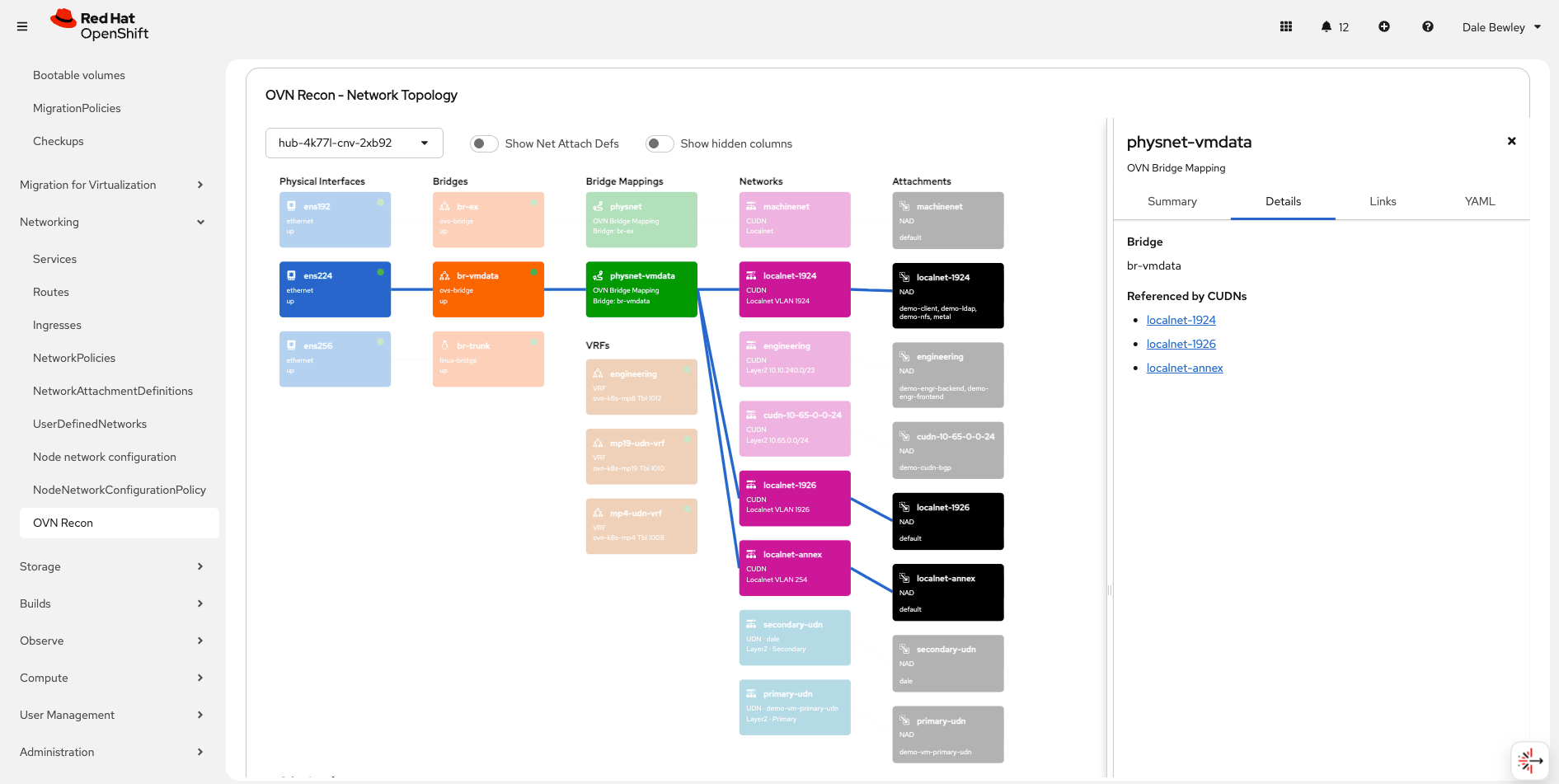
OVN Recon Screenshot
All these graphed resources are joined by interactive connections. When you click a bridge-mapping all the upstream and downstream elements are highlighted. Clicking a resource reveals details, relationship summaries, and a link directly to the resource in the OpenShift Console.
Installing the OVN Recon Operator
⚠️ Experimental
OVN Recon is “vibe coded” and not production-ready (and possibly off-brand for this blog). Use it at your own risk.
Evaluate OVN Recon in non-production environments only.
Yea, but how do you install it?!
Unless and until OVN Recon is added to the community operators catalog, you can install my CatalogSource to make it available in the “Operator Hub”, which has recently been rebranded as “Ecosystem / Software Catalog” in the OpenShift Console.
Steps:
- Click the ➕ icon at the top right of the OpenShift Console
- Select “Import YAML”
- Paste in this YAML:
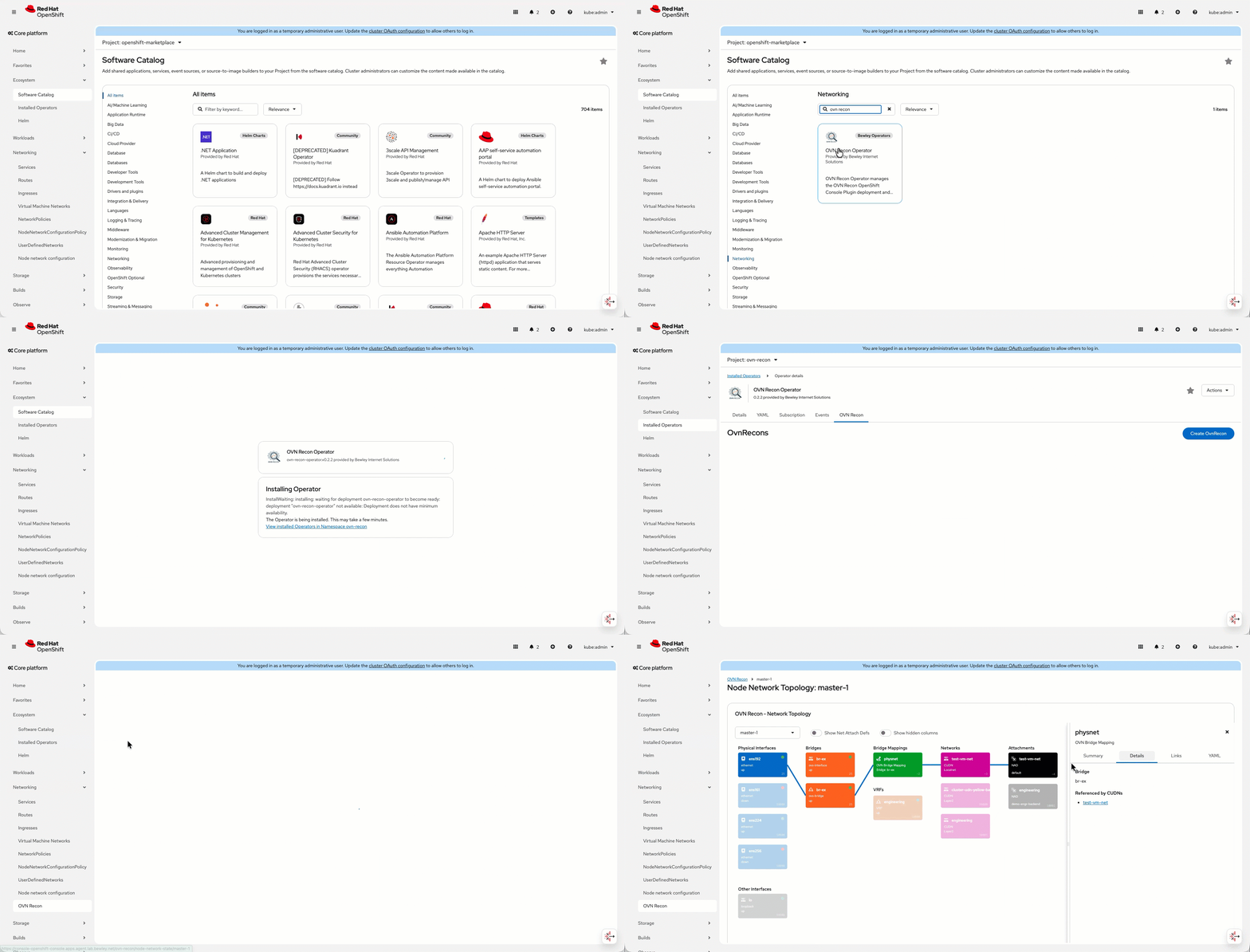
- After a few moments navigate to “Ecosystem -> Software Catalog” (or “Operator Hub” in OpenShift < 4.20)
- Search for “OVN Recon Operator”
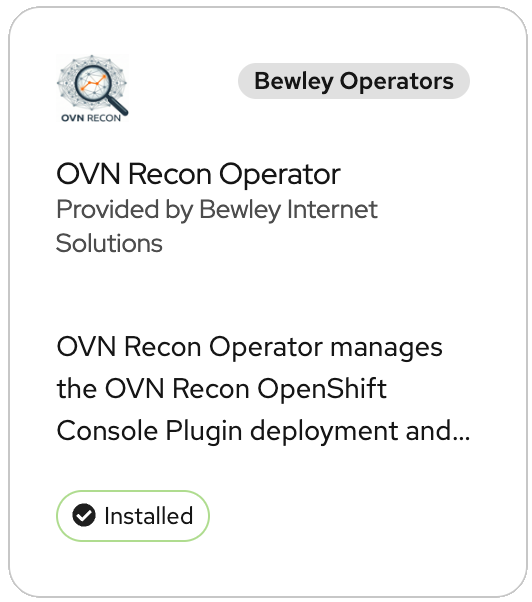
- Click “install” and accept the defaults
- After a few moments click the button to create an instance of the “ovnrecon” resource and accept the defaults
- After a few more moments a new “OVN Recon” menu will show up within the “Networking” menu of the console.
Customizing the OVN Recon Install
You can modify the created OvnRecon resource to do things like track the latest tag instead of stable releases (Not recommended unless you are me). You can also enable the experimental ovn-collector component which is very much a work in progress, just skip it for now.
Current Status of OVN Recon
OVN Recon is experimental. I created it to help me help others understand how CUDNs change the networking in OpenShift. I vibe coded it in programming languages I don’t know well. I used a number of different IDE and agentic tools including Antigravity, Beads, Codex, and Cursor. You should keep all that in mind.
It’s still churning, but I thought others may find it helpful enough that I would post this note. YMMV.
Roadmap
📋 Ideas and todos:
- Improve the details and summary tabs with more useful information and links.
- Add links to helpful documentation.
- Finish adding another view to visualize OVN components like logical switches and routers.
- Since we work from the configuration results found in NNS, we are not learning what NNCPs exist and how they affect the configuration. This could be added, but they are also already covered in the official network topology plugin… I would like to add this somehow without making things too messy.
- Make the operator OpenShift version aware.
- Add it to the Community Operators catalog some day.
- Maybe add parsing of an imported NNS to just quickly get a view of the physical configuration.
- Rebase the images to UBI, and general cleanup.
Summary
Visualizing the relationships between networking resources can be very helpful for developing a mental model of the configuration dependencies. These relationships are where most of the complexity lives.
OVN Recon focuses on those relationships to promote:
- Better shared understanding across platform and network teams
- Shorter onboarding for engineers new to OpenShift or Kubernetes networking
Give it a try and let me know your thoughts!
References
- OVN-Recon project
- FRR-K8s
- NMState Operator
- NodeNetworkState resource
- OpenShift Cluster Network Operator
- OpenShift Networking Documentation
- OpenShift Route Advertisements
- OVN-Kubernetes CNI
- User Defined Networks in OpenShift
- NetworkAttachmentDefinition Specification
- Beads: A coding agent memory system
- Cursor
- Google Antigravity
- OpenAi Codex
- OpenShift Virtualization Networking Talk - Red Hat One 2026
Continue Your Learning
I’ll write some more detailed networking posts in the future. In the meantime, here’s a little video.